
What is a Beautifier?
Smartpedia: A Beautifier is a program that increases the readability of source code without affecting its functionality. It is often used to reverse a minification.
Beautifier – the reversal of a minification
A Beautifier is a program that maximises a source code compressed by a minifier to improve its readability. The Beautifier reformats the source code without changing the functionality of the source code. It is therefore a code beautification. The process is also called Beautifying, Maxification or Unminifying.
Example of Beautifying
Here we see a JavaScript code snippet:
// an example
var array = [];
for (var i = 0; i < 5; i++) {
  array[i] = i;
}
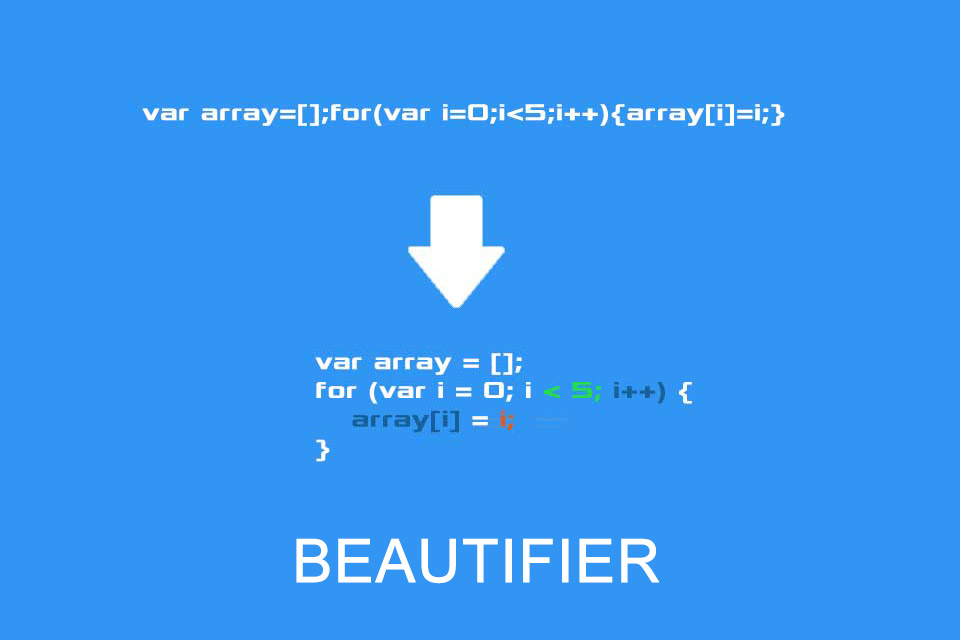
After minifying, the code looks like this:
var array=[];for(var i=0;i<5;i++){array[i]=i;}And this is the result after using a Beautifier:
var array = [];
for (var i = 0; i < 5; i++) {
	array[i] = i;
}Formatting with Beautifier
How does a Beautifier improve the readability and consequently the maintainability of the code? It
- uses indentations,
- adds blocks to modifying statements like if, else, for, while etc,
- sets spaces before and after the arguments of modifying statements and for operators,
- uses code coloring for syntax highlighting.
A Beautifier does all these things according to a fixed scheme, so that a uniform structure is created. Indirectly, this also means that deliberate violations of formatting rules, which further increase the readability of the code, and which have been removed by minifying, are not restored by Beautifying.
Notes:
If you like the article or would like to discuss it,please feel free to share it in your network. And if you have any comments, please do not hesitate to send us a message.
Similar to the many minifier tools available, there are many Beautifier tools, including CSS, HTML, JavaScript, JSON, XML, PHP, TypeScript, C or C++. Tools such as Uncrustify offer support for different languages, and some Beautifiers are offered in development environments such as Eclipse or Visual Studio.
Here you will find an article about WebApps in the address bar of the browser.
What does t2informatik do?

And here you will find additional information from our Smartpedia section:

What is a Minifier?
What is Syntax Highlighting?